MoPad
MoPad

Motion design. On your iPad

Pro motion graphics for iPad Pro. Animate on a layer timeline or wire the same comp as nodes, draw your keys with Apple Pencil, and build in real 3D with particles, all playing back live on Metal.

Request beta access What it does today
01 — LAYERS AND NODES

One comp. Two ways in.

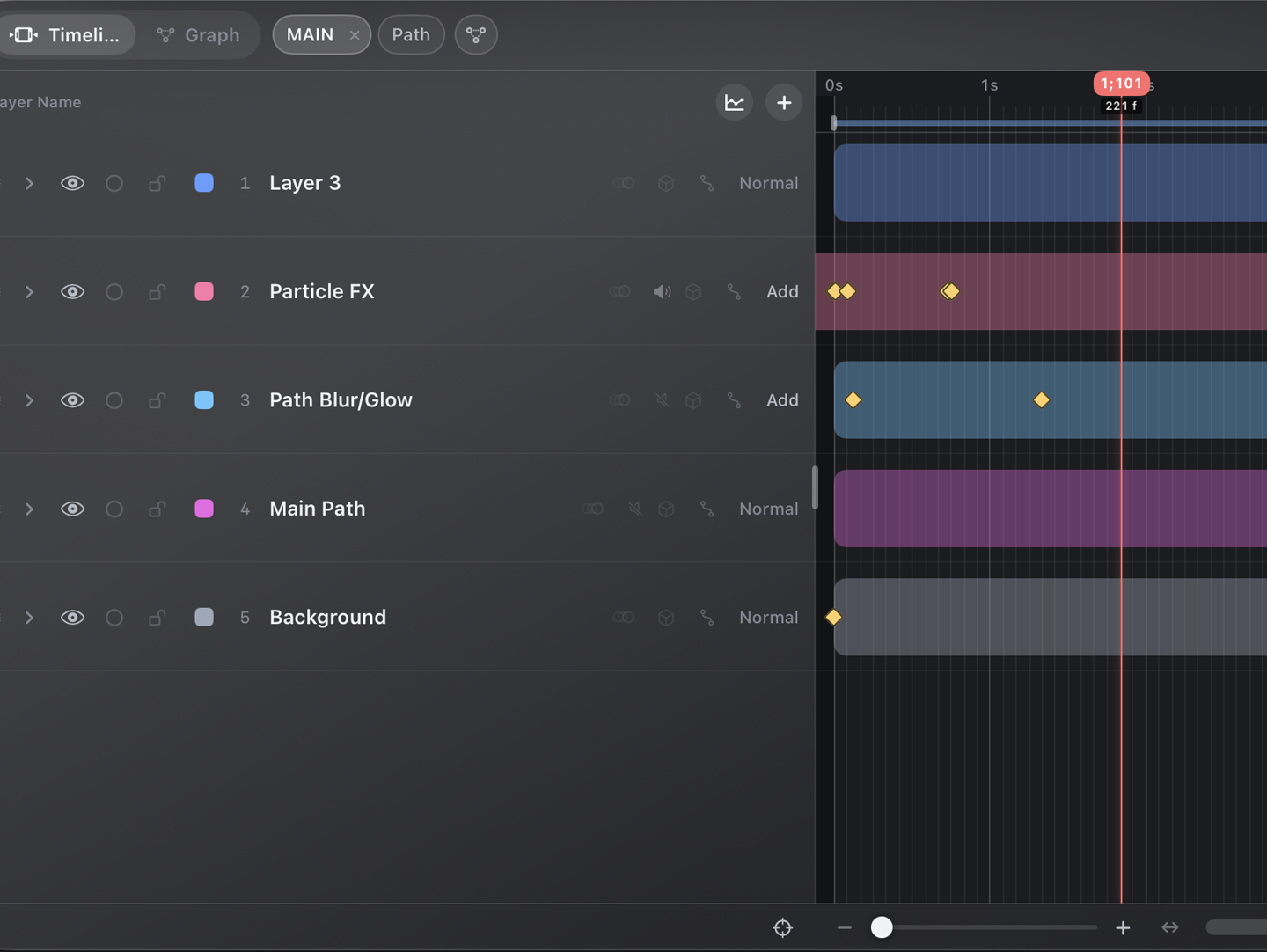
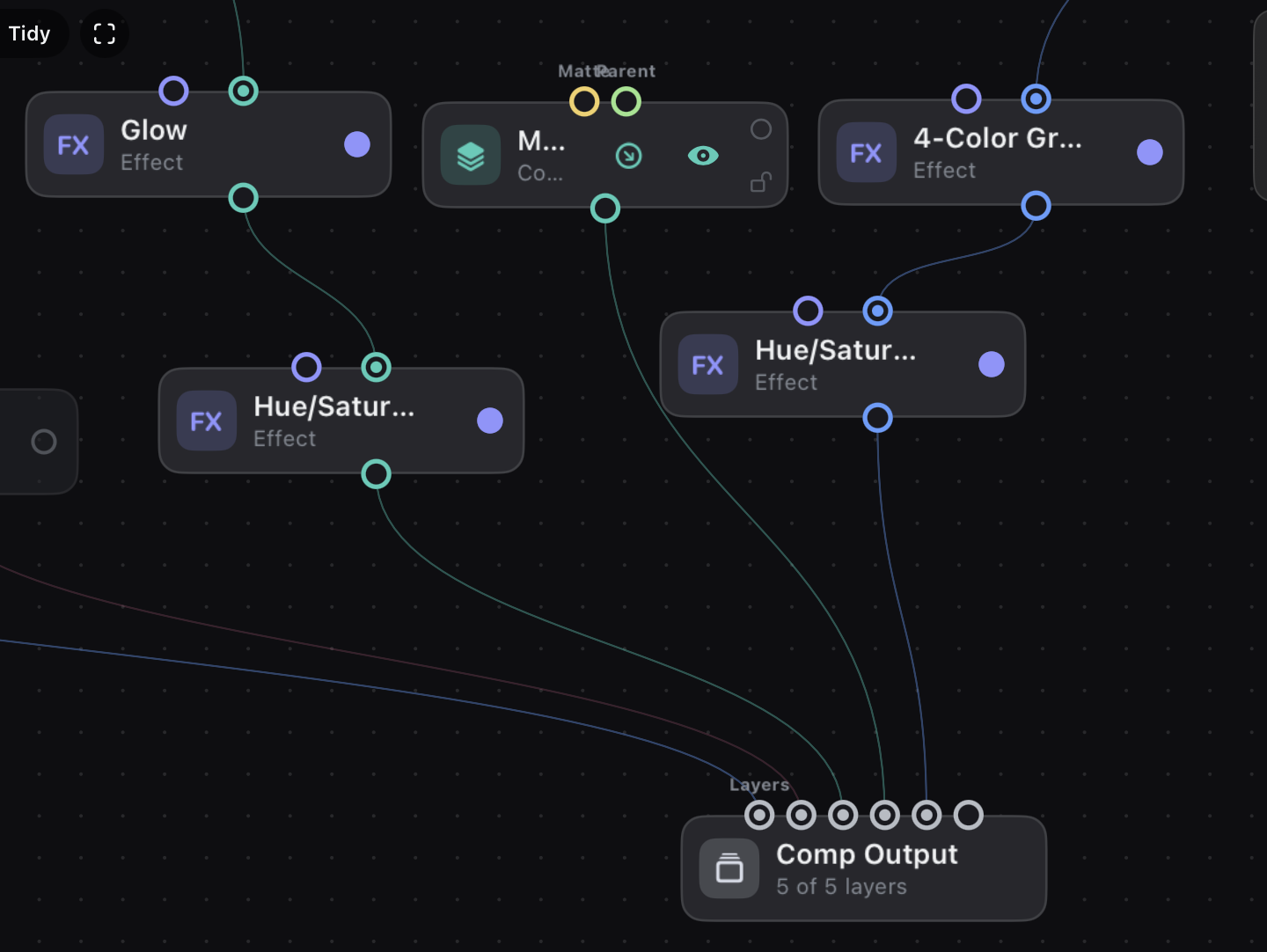
Every comp has a Timeline and a Graph. The Timeline is the layer stack and keyframes motion designers know by heart. The Graph shows the same comp as a node network: layers, 3D modifiers, effects, mattes, parents and cloners, wired top to bottom into Comp Output. Change either one and the other follows, because it's the same comp, not a copy.

  • Wire it upEach layer flows down through its 3D modifiers and effects. Tap + on any wire to add a node; unwire a layer from Comp Output to hide it.
  • Shared effectsWire one effect node into several layers. Tweak it once and every layer updates.
  • Dive into pre-compsDouble-tap a comp node to go inside. A path bar shows where you are: Main ▸ Titles ▸ Logo.
  • Pick your wayKeyframe in the Timeline, restructure in the Graph, switch whenever you like.
02 — APPLE PENCIL

Draw the motion.

Animation is a gesture, so MoPad lets you draw it. Sketch a path and it becomes keyframes. Draw a curve in the Graph Editor and the easing follows your hand. Hover over the timeline to preview any frame without moving the playhead.

  • Motion SketchDrag a layer along a path in real time; it records as Position keys.
  • Drawn curvesDraw on a property's graph, even with no keys yet; MoPad fits the keys.
  • Anchor modeOne tap toggles between moving the layer and moving its anchor, like Pan Behind.
  • Fingers for the restPinch and twist the viewer, two fingers to undo, three to redo. Keyboard shortcuts too.
03 — PADRON PARTICLES

Freestyle first, keys later.

Padron is a particle playground. Build the sim as a node graph, stage it in 3D, then play it like an instrument. Record a simulation layer, add another on top, and drop the canvas into any comp as a Particle FX layer.

  • Built in node graphsWire emitters, forces, fields, groups and colliders. Several streams can feed one node.
  • Jam padsPerform the sim live on touch pads, like playing an instrument.
  • Record in layersRecord a simulation layer, then record another over it. Every layer keeps its keys so you can refine it.
  • Art direct in real timeThe sim responds as you change it, so you shape the look by eye, not by rerender.
04 — A REAL 3D WORKSPACE

3D > 2.5D

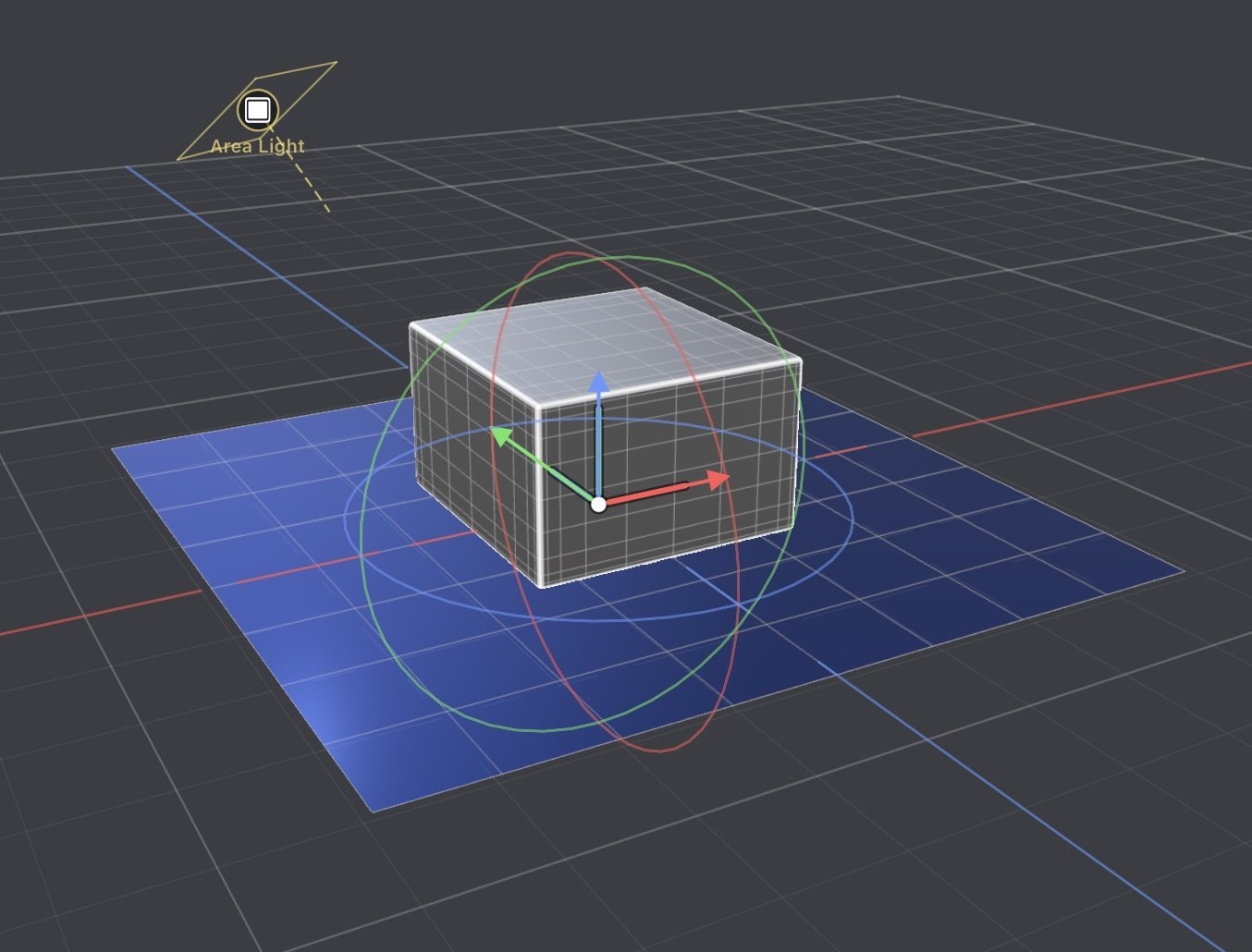
3D layers, cameras with depth of field, lights and materials. Extrude, sweep and lathe your own shapes into 3D. Import your own models as .OBJ, .FBX & more.

Perspective view of a lit 3D box over a blue floor, with an area light and the move / rotate gizmo
05 — MOGRAPH

Cloners, effectors, & fields? Yum.

Cloners in grid, radial, linear and path modes, driven by effectors and falloff fields. Clone any layer, or clone onto another.

06 — PRO PIPELINE

Work with all your AOVs

Multi-layer EXR with Cryptomatte for picking out objects, image sequences, Illustrator files as editable shapes, layered PSDs, SVG, video, audio and your own fonts.

SHOT 7
A CG render split into its EXR passes
07 — FOR MOTION DESIGNERS

Speaks motion design.

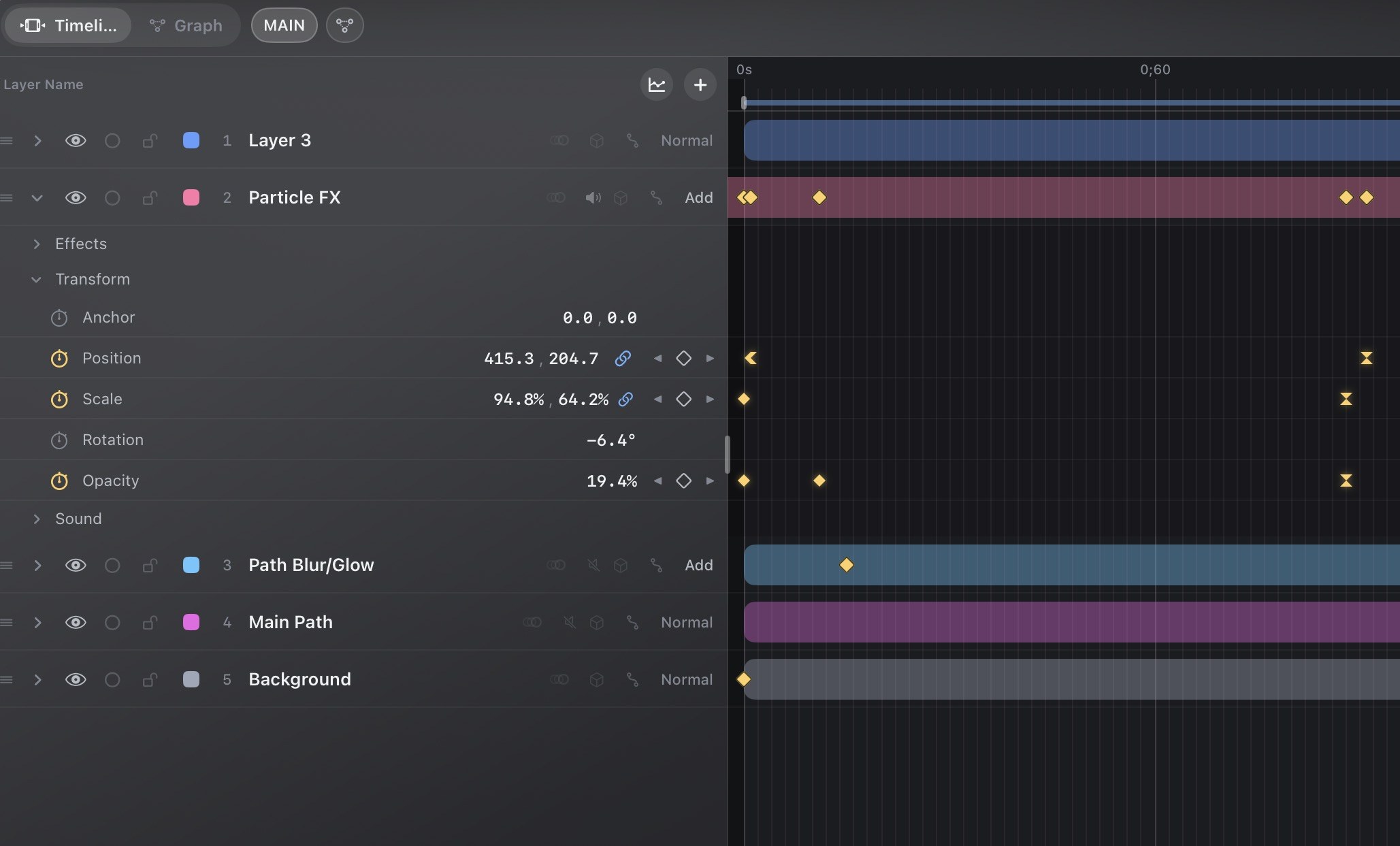
Comps, pre-comps, track mattes, parenting, expressions, time remap and the shortcuts you already know.

The Timeline with a Particle FX layer twirled open to its Transform keyframes
08 — REAL-TIME PLAYBACK

Press play. It plays.

Every frame renders live as the playhead moves, so you judge timing in motion, not in a render queue.

09 — NATIVE TO IPAD PRO, ON METAL

Built for the chip.

A native Metal compositor and an XDR-aware viewer: bright highlights stay bright. No cloud, no account; your projects stay on your iPad.

IN BETA 0.5

What it does today.

ANIMATE

  • Keyframes with easing, hold and roving keys
  • Graph Editor with drawn curves
  • Motion Sketch
  • Expressions
  • Parenting and pre-comps
  • Time remap and frame blending
  • Motion blur
  • Markers

DESIGN

  • Shape layers and the Pen tool
  • Shapes that scale from their own anchor
  • Gradient fills and strokes
  • Text with per-character animators
  • Masks, feather and track mattes
  • Blur, glow, distort and color effects
  • Effects shared across layers
  • Anchor mode for moving pivots

3D AND SIMULATION

  • 3D layers, Perspective and orthographic views
  • Cameras with depth of field
  • Lights and materials
  • 3D modeling from shapes: extrude, sweep, lathe, loft, subdivide
  • Move, rotate and scale gizmo with axis locks
  • glTF and FBX models
  • MoGraph cloners, effectors and fields
  • Padron node-based particles with recorded simulation layers

MEDIA AND OUTPUT

  • Video, image sequences and audio layers
  • Multi-layer EXR and Cryptomatte
  • Illustrator, layered PSD and SVG import
  • Your own fonts
  • XDR-aware viewer
  • Video and PNG export

WORKFLOW

  • Timeline and Graph views of every comp
  • Comp tabs and a map of every comp
  • Undo history you can scrub
  • Copy and paste layers and keyframes
  • Projects as single .mopad files
  • Move, duplicate, share and delete projects in bulk
  • Apple Pencil hover, gestures and keyboard shortcuts
  • Left-handed layout
ON THE WAY

Coming soon.

Beta testers shape what comes next. Here's what's already in the works.

  • Project sharing between artists
  • 2D character rigging and IK
  • Brush and paint effects
  • Onion skinning
  • Cloning across 3D surfaces
  • 3D sculpting and texturing
  • PBR materials
  • Ray tracing
  • IPR view (interactive preview render)
PRIVATE BETA

Get in early.

MoPad is built for iPad Pro. We're opening a few seats at a time. Tell us how you work and we'll send a TestFlight invite when there's room.

Free to make anything. Every tool, five projects, 720p export.

On launch, pay once to unlock it all. 4K, ProRes, unlimited projects, project sharing & collaboration, & more.

NO SUBSCRIPTION, EVER · LAUNCH PRICE